
Summary
In my tests, the fidelity of MP3 encoding/playback varied according to a few factors. These factors included the density and noisiness of the audio source and (more surprisingly) which media playback program was being used.
- For clipped, distorted, music (e.g., Top-40 pop from 2010), the audio was so full of digital noise that a bit of extra MP3 noise was inaudible.
- For quiet, transparent audio (e.g., solo piano), high-bitrate MP3 encoding hardly changed the audio signal. The algorithm was nearly ideal there.
- For music in between (loud, but not as ultra-clipped as Top-40 music from 2010, and not as clean as a solo piano recording), even a high-quality MP3 encoding sounded slightly noisier and more distant.
- But even when the algorithm was (nearly) perfect, consumer audio programs often messed with MP3 sound quality in a way that they didn’t with WAV files. Some audio playback programs distorted all MP3 audio. No matter how well-encoded, MP3s often sounded noisier and more distant than WAV files. This was the biggest surprise to me.
- Some playback programs distorted all audio, including both MP3s and uncompressed WAV files.
Testing
Many confounding variables affect audio quality, and they affect each other in ways that are hard to isolate. For example, changing one parameter (e.g., volume) might affect another parameter (e.g., distortion), for which I might try to compensate by changing another parameter (e.g., EQ settings). Any of these factors in turn may add their own distortion, loudness, etc., to different frequencies.
Other variables affecting our sound perception are just part of being a fallible human, such as selective attention to different details, tiredness, and the placebo effect.
Below are variables I’ve been trying to isolate in my own testing. A few surprised me by how much (or little) they affect the perceived audio:
- Different music when testing—many audio processing algorithms work better on some material than others. For example, a compressor or reverb that sounds great on drums may sound less great on the voice. If the MP3 algorithm follows this pattern, we should test it on a bunch of different sounds. (For example, ABX Digitalfeed uses ultra-processed pop music from around 2013 as its test material. Low-bitrate MP3s perform well in these comparisons, but not as well with other material.)
- Different audio playback programs—this is more of an issue than I thought. To my surprise, many consumer audio programs (like Windows Media Player and VLC) play MP3s differently from uncompressed audio. I assumed decoding MP3s is simple, that programs would output an identical stream of 1’s and 0’s sent to our audio interface/speakers. Turns out this is wrong. (Luckily, I haven’t found these differences when they’re imported into DAWs.)
- Different MP3 encoding—luckily, we have consensus that LAME MP3 encoding at 320 kbps is the best to use for testing. Unluckily, streaming services often use much lower bitrates. They’re improving, but I sometimes encounter tracks on these services that have obvious swirlies in strings and cymbals (compression artifacts that are absent in lossless formats).
- Different bitdepths—these are easy to separate. But, as a practical matter, it’s not part of my routine. So I often end up comparing my uncompressed 24 bits vs. compressed 16 bits. Like many musicians/engineers, I render my own music in 24 bits. MP3s are 16 bits. I have to go out of my way to isolate this variable.
- Different audio equipment and listening environments—we have different needs from our audio when listening on a noisy bus with $20 earbuds vs. listening at home with $10,000 of clunky equipment.
- Different testing methods—it’s hard to build an audio test, and most online tests were not made by audio researchers or engineers. Some have weird interfaces, barrage the listener with a bunch of different sounds, and make it hard to isolate all the different variables listed here.
- Different levels of familiarity with the quirks of human hearing—some well-known quirks of human hearing can make comparisons hard. For example, if you lengthen the time between playback of different audio sources, you make it harder to judge their differences. And simply making a track .5 dB louder will bias a listener in favor of it (even an experienced producer or audio engineer). This is a challenge for evaluating any audio processing.
- Focus on different aspects of audio—some people want a powerful bass, some want a liquid-smooth high-end, some want clear vocals, some want pleasant background music.
I’ll look at the first two variables—different kinds of audio and different audio programs.
MP3 Playback in Common Audio/Media Programs
For some reason, many consumer audio programs play MP3s differently from uncompressed audio. This was a surprise to me.
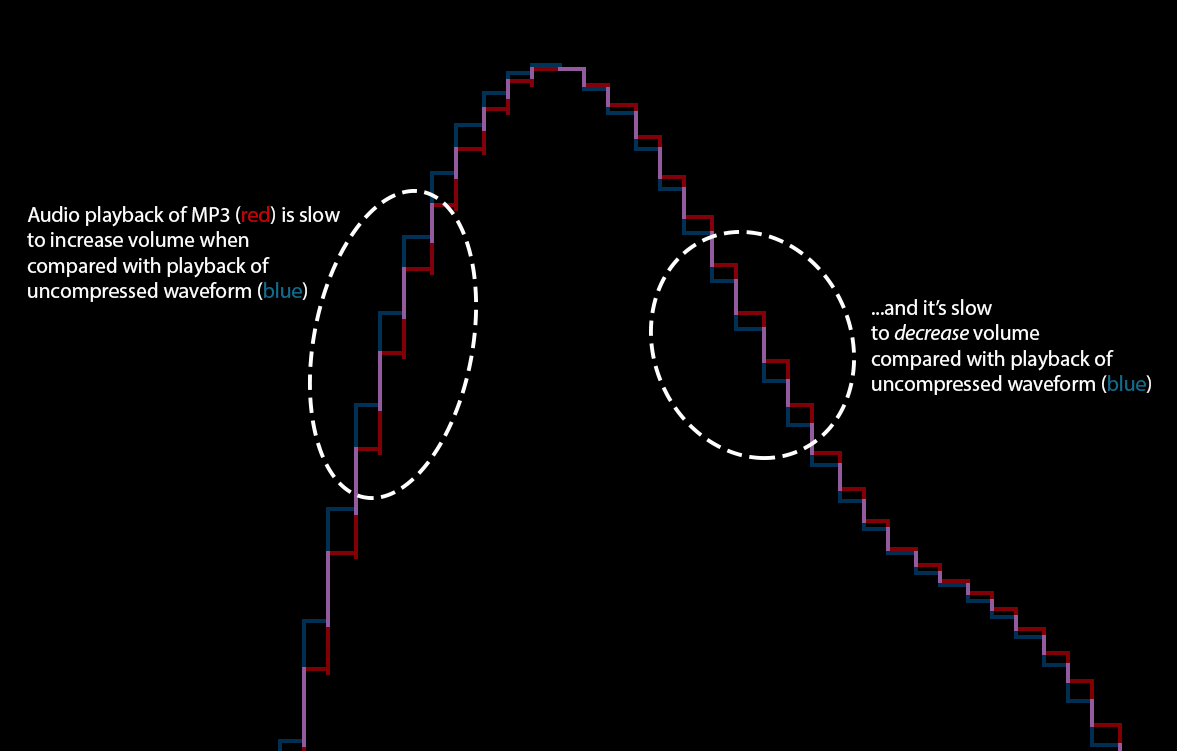
Here’s an example of a waveform altered by playback in VLC, a freeware media program. The MP3 waveform is red, and the uncompressed waveform is blue. The MP3 is slow to reach full volume, and slow to decrease volume, turning it into more of a sawtooth wave:
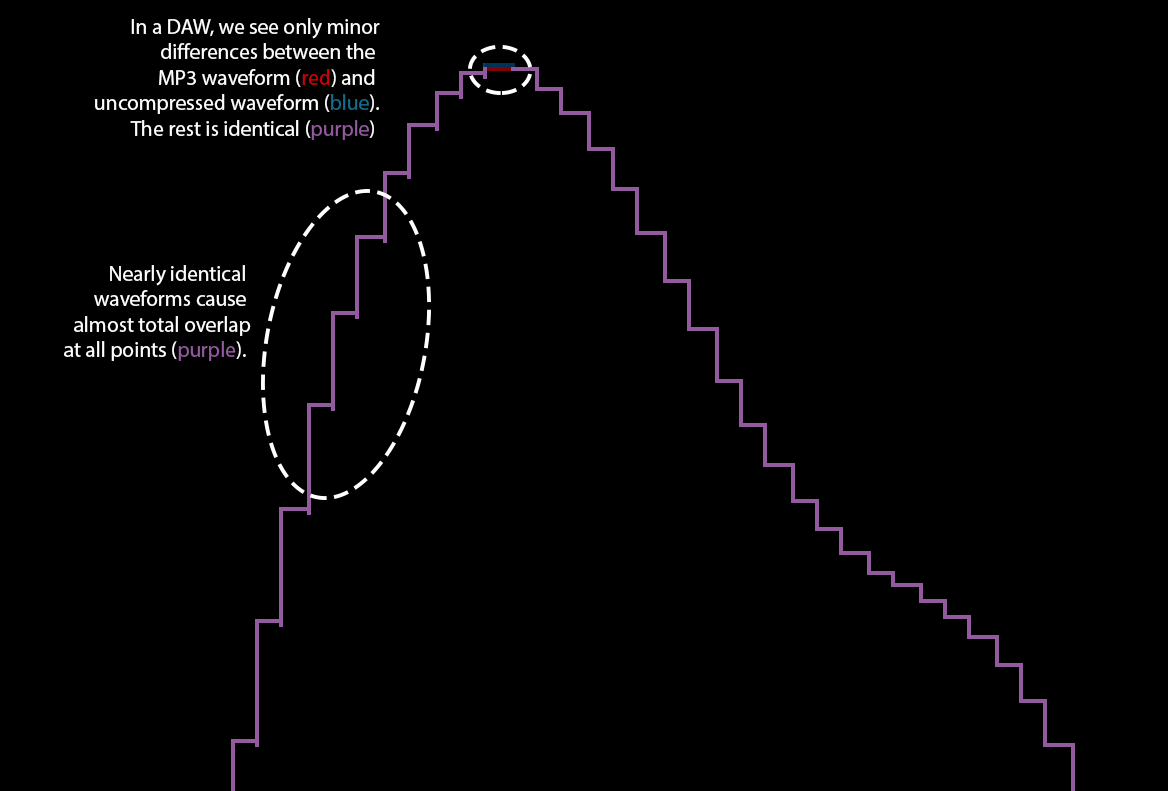
Here are the same audio sources inside a DAW. The MP3 is still in red and the uncompressed is in blue, but it’s hard to tell because they are nearly identical (making a purple line). The only difference is at the very peak of the waveform:
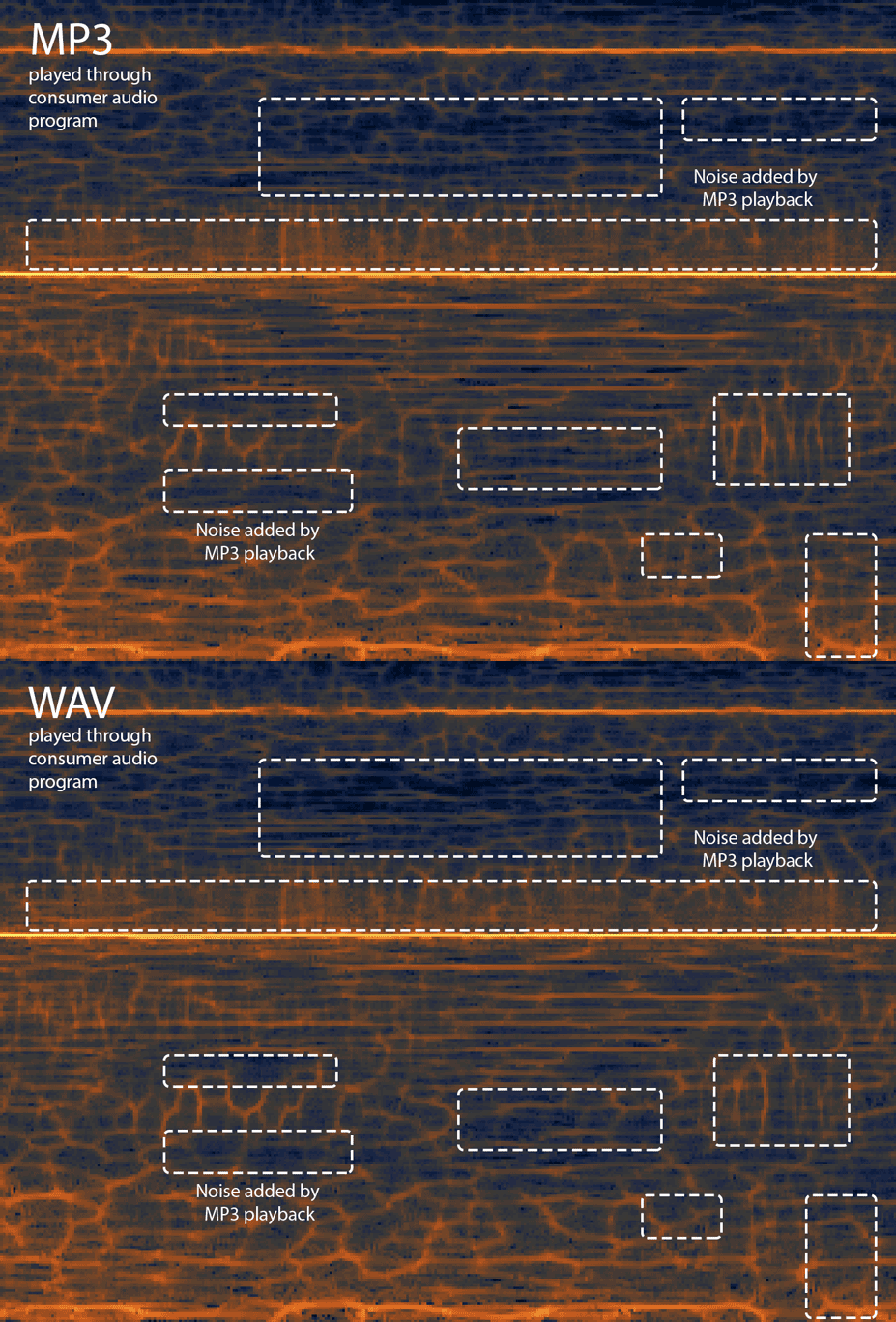
Here is a spectrogram of that same audio source, as played in VLC (consumer audio program). This lets you see some differences between the MP3 and the WAV. Some parts get brighter (louder), some get darker (quieter). Overall, the MP3 is a bit louder/noisier in this section. I circled a few areas where VLC adds audible noise:
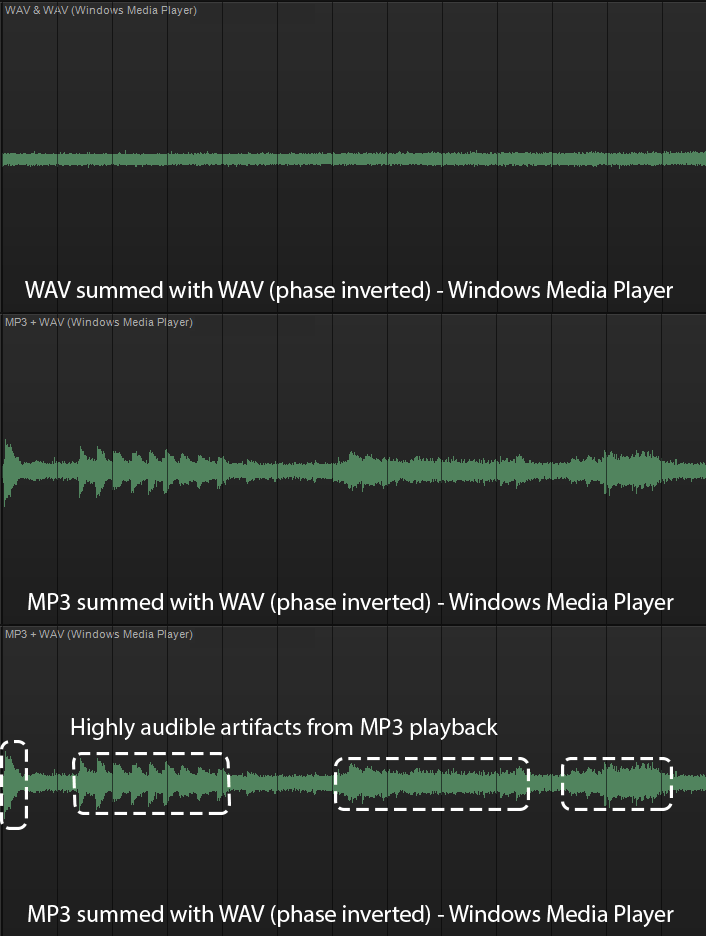
These aren’t artifacts of my recording setup. To make sure, I summed a WAV and a (re-recorded) phase-flipped WAV. This generated faint noise, nearly inaudible even when the gain was jacked up. I then repeated this process, but substituted an MP3 for one of the WAV recordings. If the MP3 playback were affected the same as WAV playback, it would look similar to the noise generated by the WAV + WAV-flipped-Ø.
Windows Media Player had fewer artifacts than VLC, but still generated very audible artifacts:
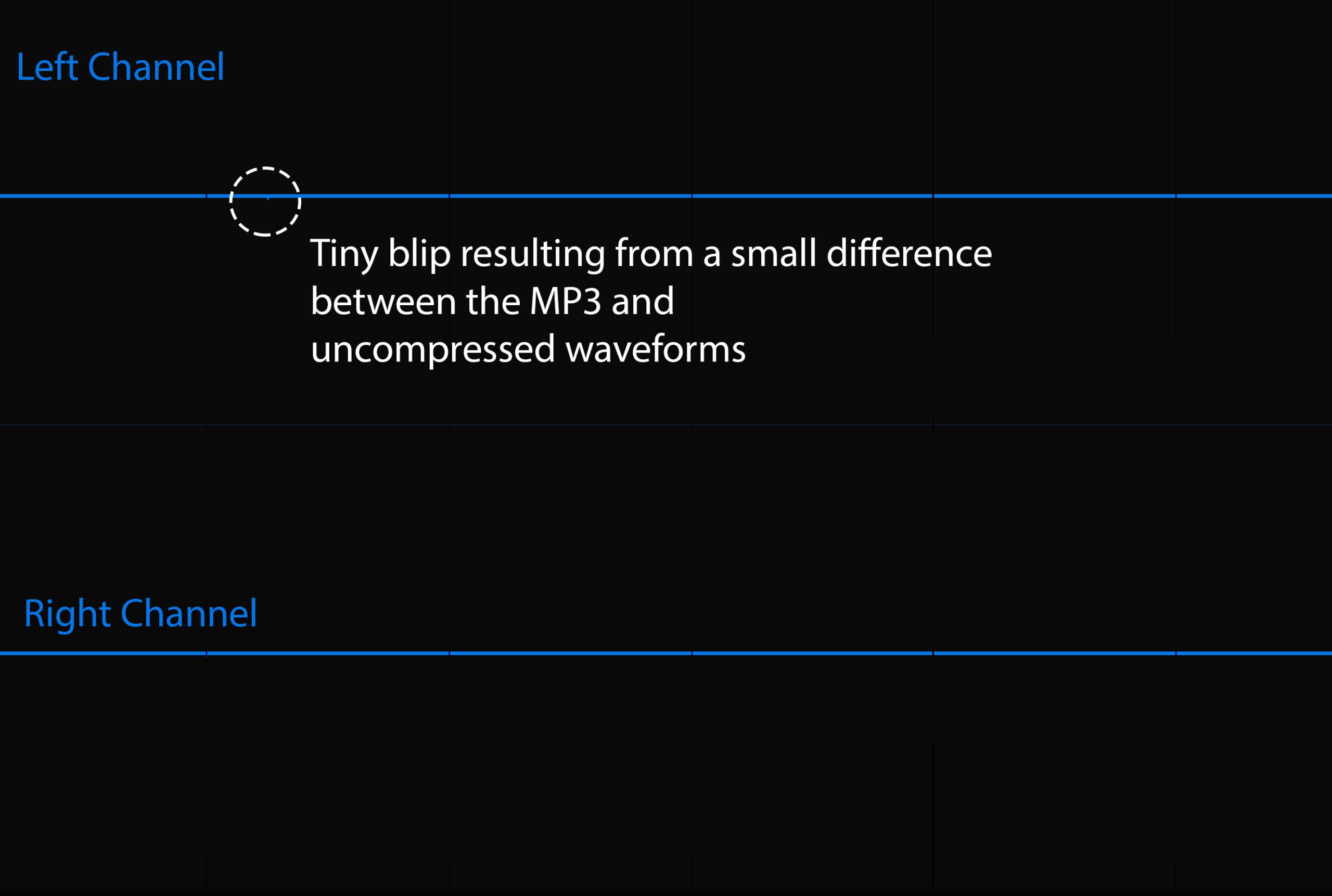
I did a similar process inside a DAW, using the same MP3 and uncompressed files. (Brahms, Intermezzo Op. 118, No. 6.) There were no audible differences at all when an MP3 was summed with a WAV-flipped-Ø. Just one inaudible blip at -84 dB:
Overall, the distortion added by these programs give MP3s a subtle lo-fi sound. This isn’t always a bad thing—lots of people love the lo-fi sound. But, in general, you don’t want it added automatically to your audio. The musician/producer/engineer should be calling the shots on this, adding it where desired. In my experience, this is most of the reason MP3s can sound different from WAVs.
As a non-programmer, I assumed that decoding MP3s is easy. I thought that, as long as you have code that decodes an MP3, it decodes them identically to other programs, and outputs an identical stream of 1’s and 0’s sent to our audio interface/speakers. Surprisingly, some part of this assumption is wrong.
Luckily, this doesn’t affect playback in ProTools or Sonar, which are Digital Audio Workstations (DAWs) meant for professional editing. Those programs don’t usually play MP3s directly; to play an MP3 file, the program needs to import it and convert it into something uncompressed.
But programs like VLC and Windows Media Player have a noticeable effect. They add noise here, remove noise there, and mess with transients. They do this to MP3s much more than to uncompressed files like WAV.
The MP3 Algorithm on Different Sources
In my tests, MP3 waveforms were visibly different from their original audio waveforms. But the changes were smaller than I expected. In fact, for some sources (like solo piano music with little processing and a lot of headroom), the MP3 algorithm produced a (near) 1:1 match with the original audio.
There are situations when MP3’s were indistinguishable from WAVs:
- When the music texture is sparse (e.g., solo piano music or solo vocals). A high-quality encoding can reproduce a WAV with a nearly 1:1 match.
- When the sounds are so processed/noisy/distorted that more distortion is hard to hear. I suspect this is true when the distortion comes from plugins (e.g., compression, limiting, aural excitation, EQing) circa 2010. Pop/Rock/Dance at the height of the loudness wars are good examples here.
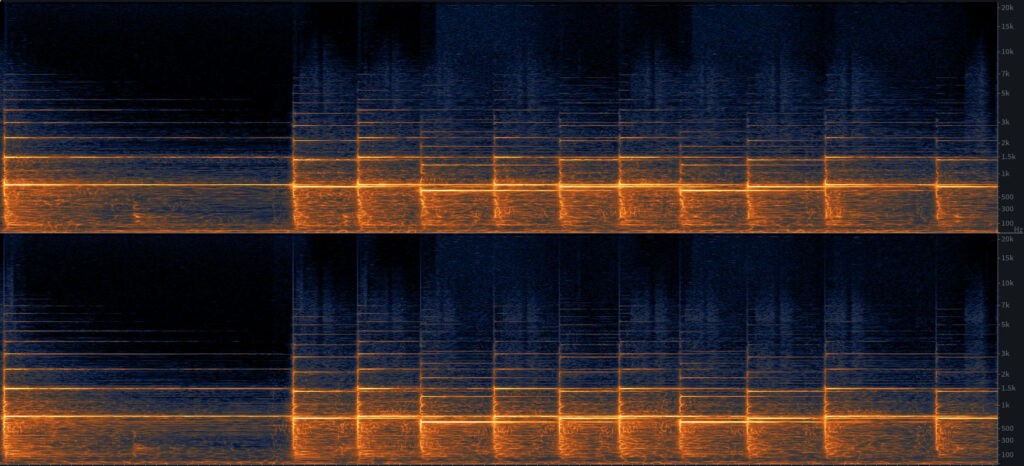
To test this, I encoded the the sparse opening of Brahms’ Intermezzo Op. 118, No.6. This turns out to be pretty ideal use for the algorithm at high settings. It’s a single piano line with no other pitches. It has only a little processing and a lot of headroom. (The MP3 was encoded using LAME MP3, at 320 kbps, variable bitrate.)
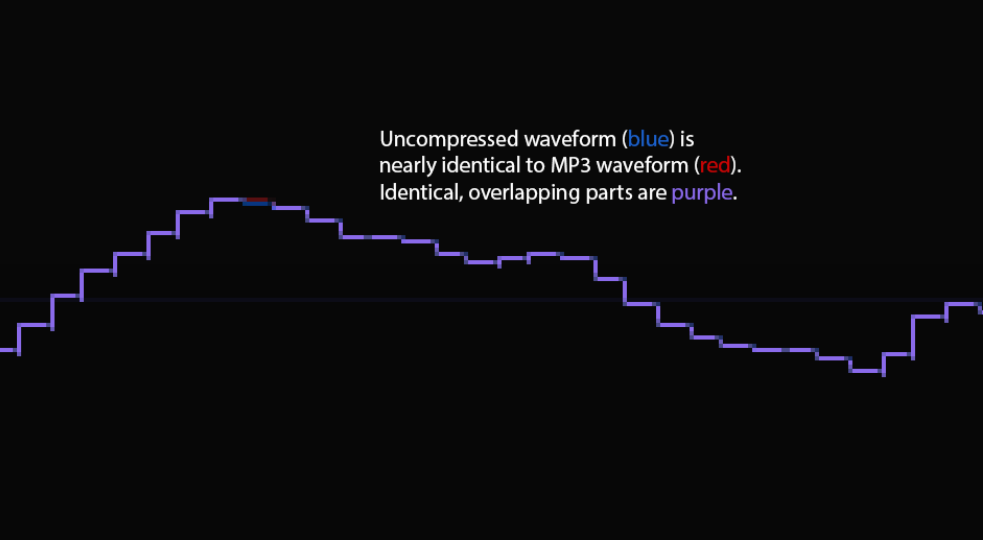
Zooming in so that we can see each sample (there are 44,100 samples in a second), we can see that the MP3 and WAV values are nearly identical. The only difference here is where the MP3 waveform (red) is peaking out over the uncompressed waveform (blue). Where they are identical, the line turns purple. But the whole thing is nearly purple, because it’s nearly identical:
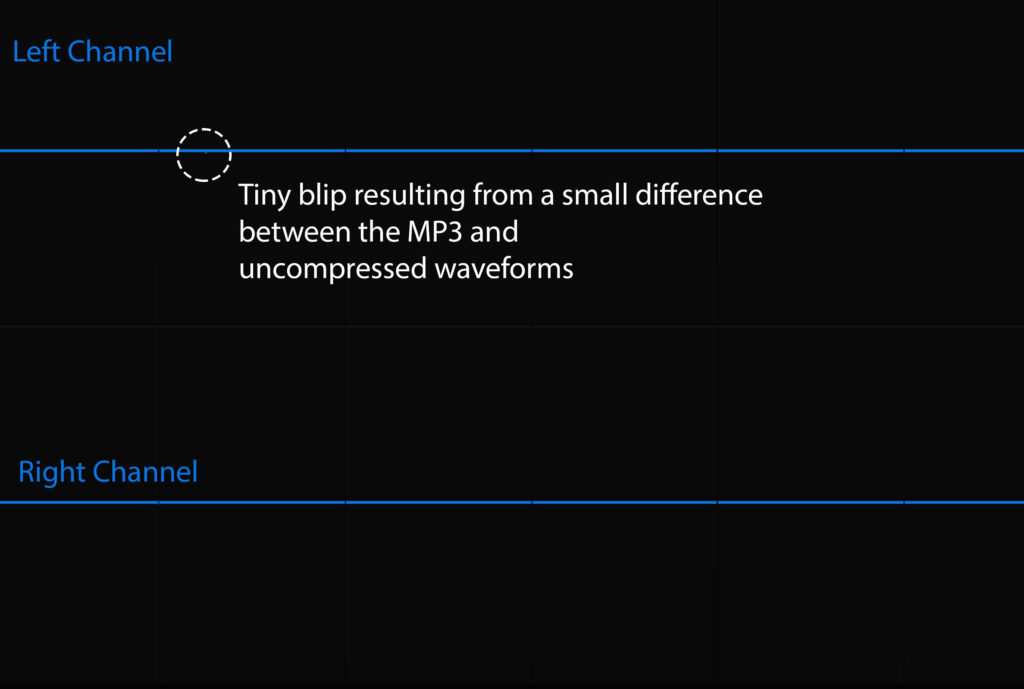
Eyes (and waveform rendering) can be deceiving, however. So I flipped the polarity of one track and summed the signals. The result was nearly total silence. A nearly pure flat tone — slight noise at -95 dB, with an occasional blip of -84 dB. No one’s going to hear this—these waveforms are basically identical:
It’s also hard to hear MP3 distortion in tracks that are highly processed and are full of digital-sounding noise. Here, for example, is the crash cymbal in a pop-rock track released in 2012. I couldn’t hear any difference between the uncompressed version and an MP3 encoded at 320 kbps. Here’s the spectrogram compared against the pure, random noise. It’s also compared against a natural, unprocessed crash cymbal:

The commercial cymbal from 2012 is similar to the random noise. It’s highly uniform, missing all of the horizontal lines in the natural cymbal (the small resonances you hear in a natural body). It ends up sounding (and looking) like digitally-produced noise.
Here’s the waveform of that commercial cymbal. It has a lot of tiny peaks at irregular intervals, resulting in random-sounding noise at high frequencies. There is also little match of these high-frequency peaks between the left and the right ear, making it sound even more random:
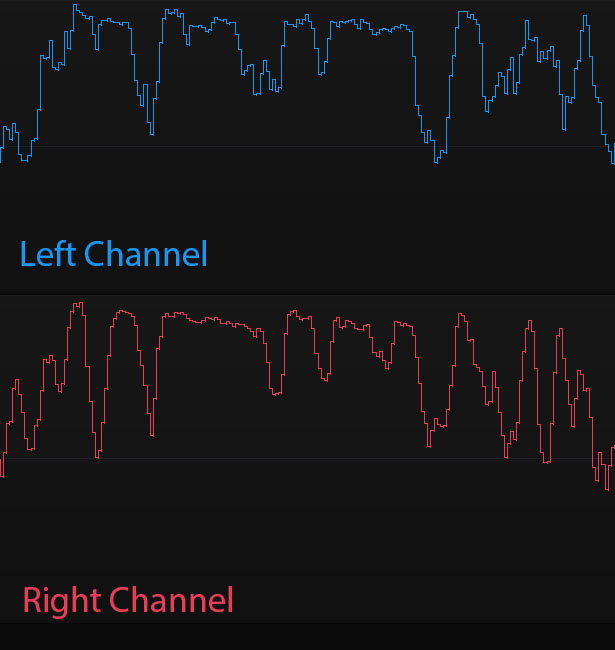
Here’s a closer look at the waveform. The smaller peaks are mostly irregular and are basically a jumble of random frequencies:
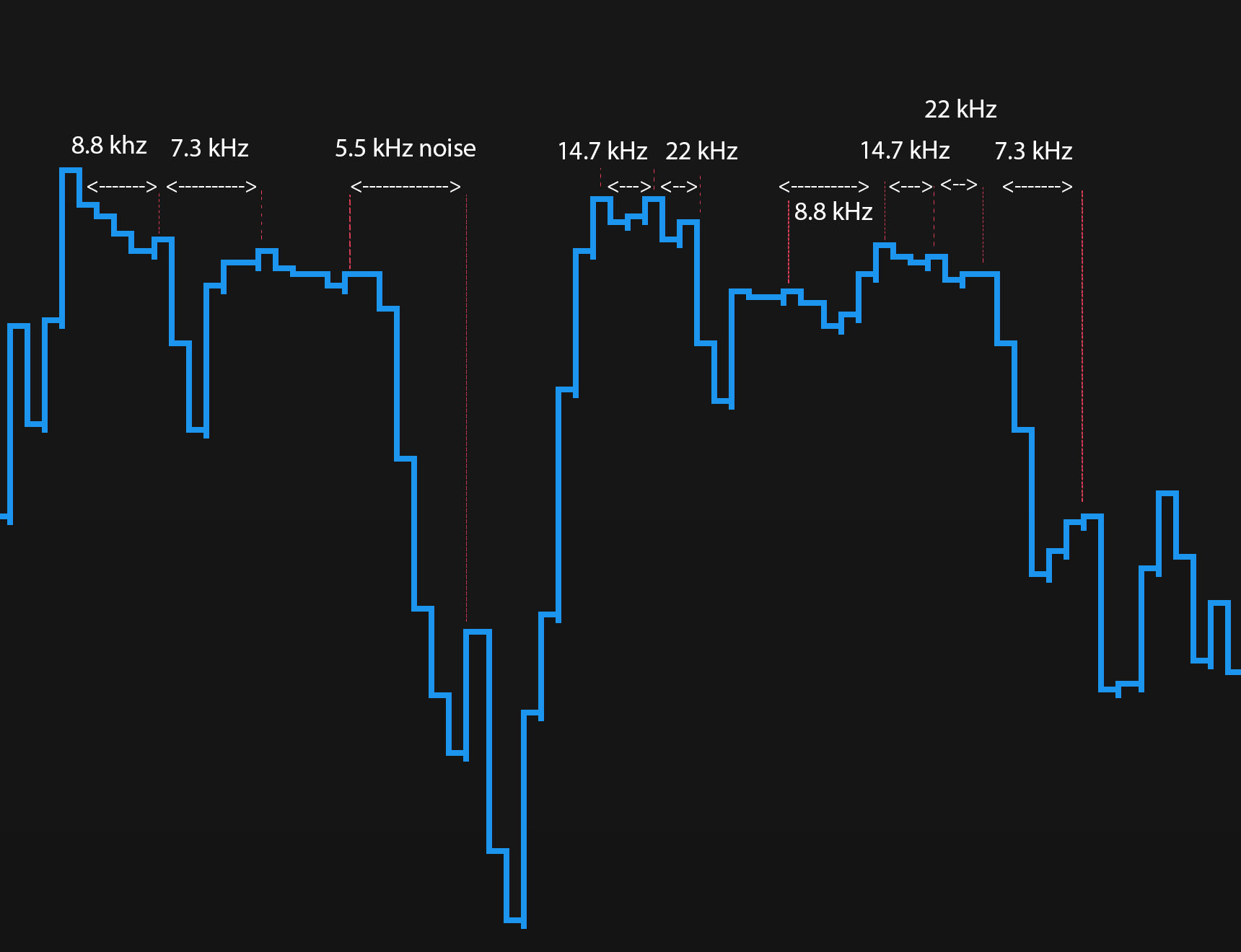
Here is the waveform of a natural, unprocessed crash cymbal. There is still plenty of high-frequency noise, but it’s more regular, matching what the ear expects of a naturally resonating body. The peaks are also more correlated in the Right and Left channels:

As a result, the noise/distortion you get with the MP3 algorithm is almost impossible to hear on this source. When it’s most noticeable, the MP3 algorithm produces a bit of digital noise (often called “the swirlies”), reduces the sense of depth, and shrinks the sound stage. But you can’t really hear this if the source is already packed full of digital noise and has a sound stage to match.
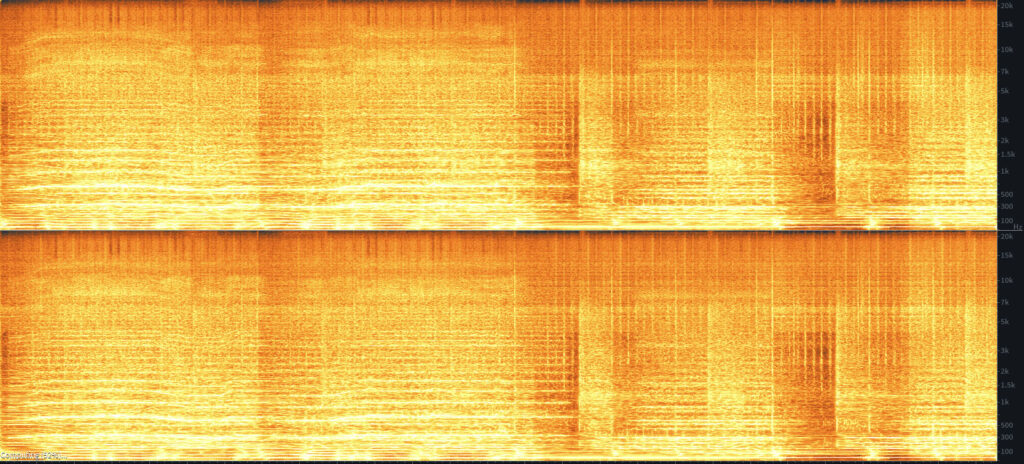
MP3s can be less perfect in other modern pop and dance tracks. These tracks may have plenty of transients and harmonics from vocals, drums, vocal harmonies, instrumental harmonies, synths, sound effects, etc. But they aren’t maxed out in the way that the earlier pop-rock track was, nor do they have effects that are indistinguishable from random noise.
Here’s a spectrogram of this kind of track. The light parts are sound; the dark parts are silence. As you can see, there aren’t many dark parts. But it’s not quite as maxed out as the earlier commercial cymbal, which was similar to random noise:
Compare this with the Brahms Intermezzo:
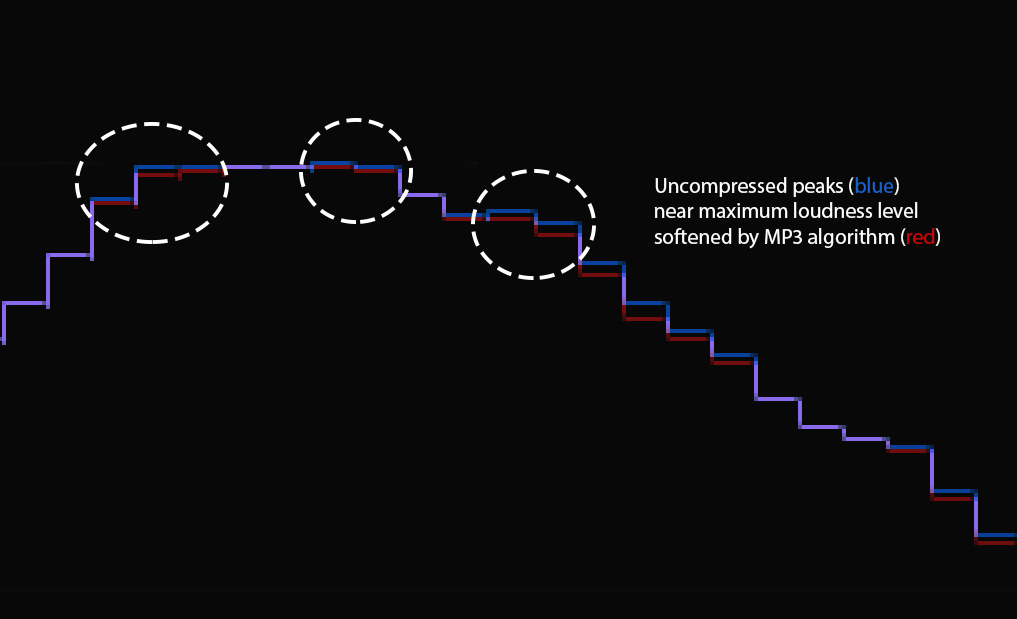
The MP3 flattens some transients, resulting in a less punchy sound. Here, all the blue peaks have been flattened by the MP3 algorithm:
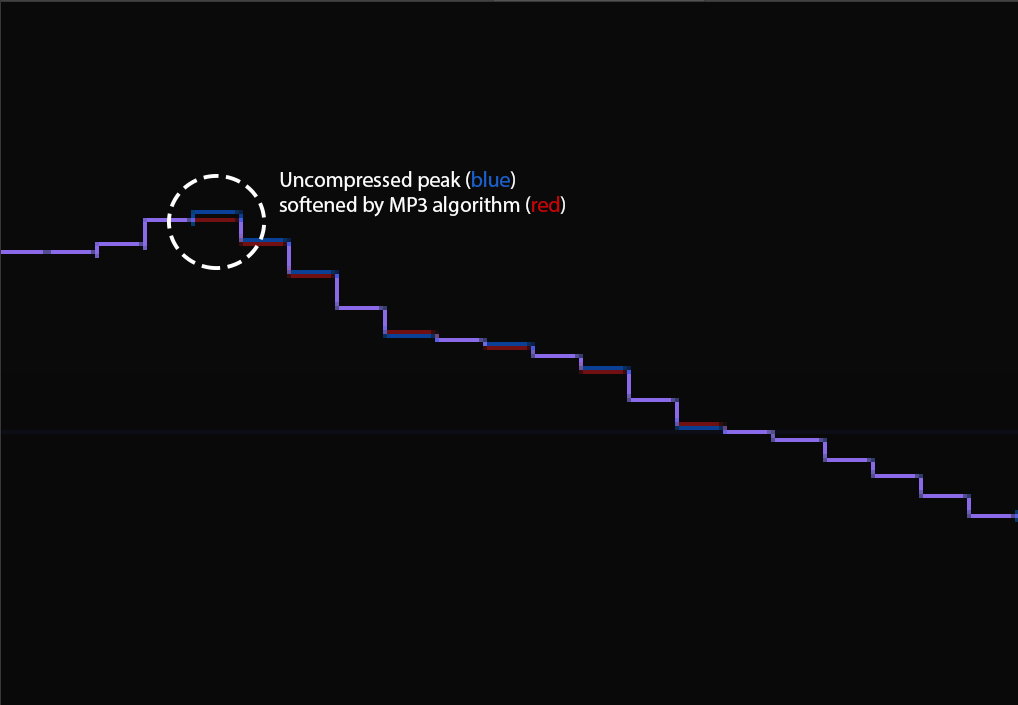
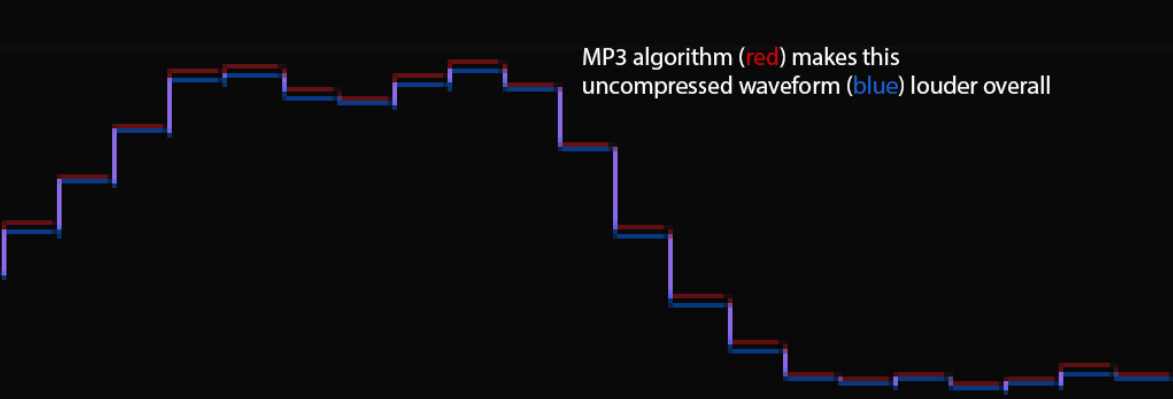
While making some waveforms slightly louder:
Moreover, the left and right channels are processed separately. The gains & reductions you get in the right channel will be different from those in the left. Not surprisingly, this removes some info that the brain uses to sense position and space. Here’s what happens when you sum a flipped phase WAV vs. MP3:
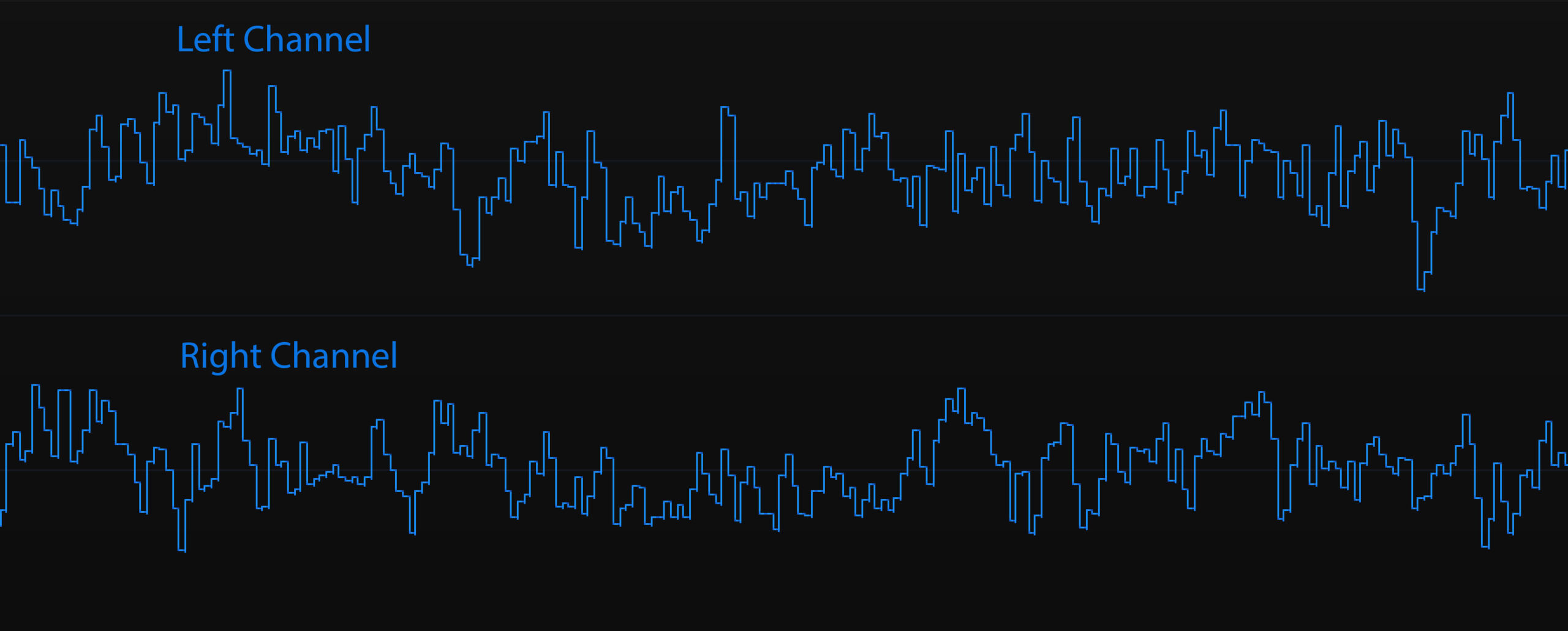
There’s almost no correlation between the Left and Right channels, resulting a little reduction in sound stage. However, it’s really minor compared to the differences created by the consumer audio playback programs.
Conclusions
My take-aways from these tests:
- Some consumer audio programs (at least VLC and Windows Media Player) change the sound of MP3s. They add a subtle lo-fi distortion. Luckily, professional DAWs don’t.
- The MP3 algorithm is extremely faithful to sparse textures, such as a solo piano. (Playing it directly in a consumer audio program, however, will still reveal some minor distortion.) It’s less faithful to full textures with a lot of different pitches and timbres.
- The MP3 algorithm also does justice to sounds that are already noisy and distorted, especially if that noise/distortion has a digital feel.
I only tip-toed into the shallow end of this pool. But testing a few audio programs and a few sound sources yielded a few big surprises. Other variables — e.g., bitdepth, audio equipment, different MP3 encoders — may yield their own surprises.
Glad you tested it so I don’t have to. Any word on testing for the other aspects like bitdepths and audio equipment?
I am wondering if you would have the same result with itunes and groove music. Any plan to test for other audio programs?
Super duper. Any plans to update with more tests?
My listening tests are quite subjective. I like the idea of more objective tests however.
Have you listened to files on a Mac vs. PC or iPhone vs. android?
I’ve tried, but it’s easy to get bogged down grouping files to evaluate and arranging them in a clear way to compare files with each other. It’s also harder to notice whether something sounds great if you’re using monitors and stuck looking at a computer screen. This is something that I have seen in other headphone tests and reviews I’ve seen.
Whoa this is excellent. A lot of musicians/audiophiles get into heated debates the topic of mp3 sound quality, and there’s so much different info it’s hard to make heads or tails. This will aid my decision process.
I often find that for quiet, transparent audio, it’s best to start with a source that has very little distortion and work from there. This is easier said than done. One ingredient is frequency response. Low frequencies can easily be picked up in recording, but are nearly inaudible until the mix starts to come together. That can happen with mics that are especially sensitive. (Listening on earbuds and headphones can make this easier to identify.) For this reason, a piece of test equipment that can calibrate your microphone(s) to different sources is very useful.
Later, when the mix is done and encoded to a lossy format, I find I get much better results than if I hadn’t taken the time to clean the audio.
One more thing I would like to say is that I try to listen to my files on many different devices and computers. And using different headphones and speakers. This is AirPods, laptop speakers, even going into my car speakers. Can’t say I’ve tried every combination, but it’s a start and sometimes a reality check.
Wow! Thank you! I’ve been thinking about doing some tests like this. Glad I don’t have to. Can I mention this on my site?
FWIW, I could have sworn I’ve been to this blog before but after reading through I realized it’s new to me. Anyhow, I’m glad I found these tests. Looking forward to hearing more audio examples.